Oct 28, 2025
Productivity
Running a Small Business Out of Notion
Read time: 4 min read
Key Takeaways
I've run my business out of Notion since May 2025, using six linked databases: Areas, Projects, Tasks, Clients, Notes and Resources. The layout matters less than two habits: search before you create, and keep names consistent. Start with Projects and Tasks, and add the rest when you need them.
Why the business lives in Notion
I've run my own business out of Notion since May 2025. The first rows in my Projects database are from 22 May, and I added an Areas database in June.
Before I built software, I was a boilermaker and then a maintenance supervisor in WA. On a crew, a job that isn't written down where everyone can see it tends not to get done. A small business works the same way, and Notion is where I write things down.
Six databases, linked both ways
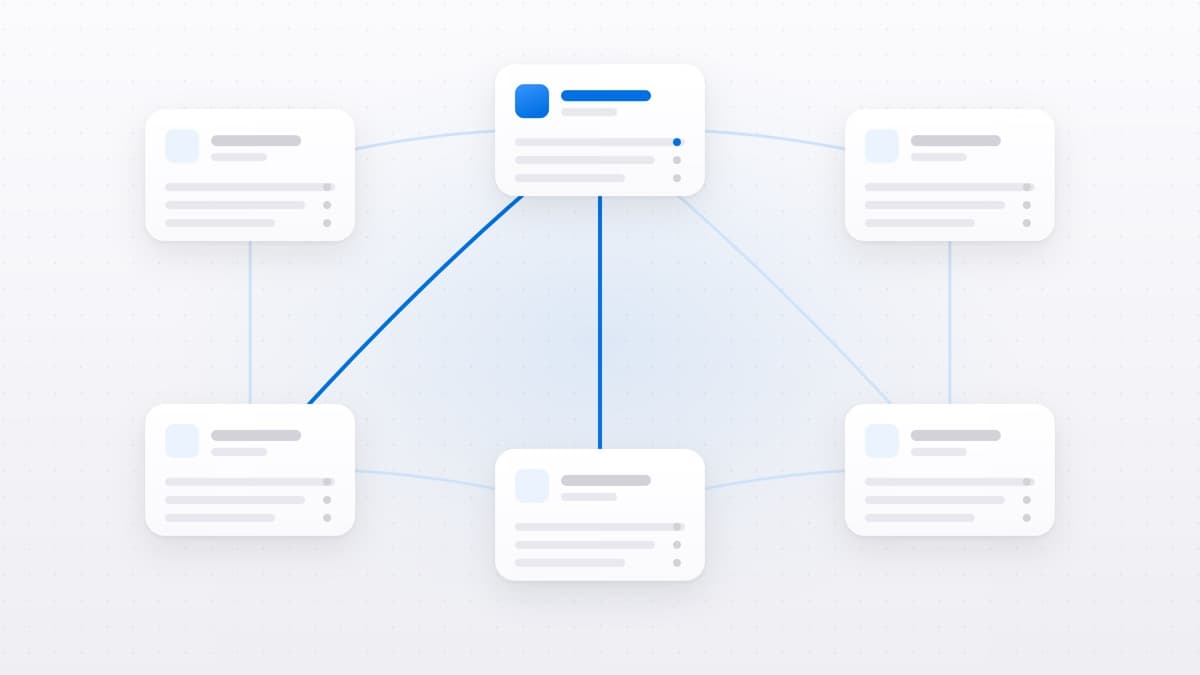
The layout is loosely based on PARA (Projects, Areas, Resources, Archive): six databases, each connected to the others with two-way relations.
- Areas are the ongoing parts of life and work, such as Business, Content and Personal.
- Projects have a Status (Not Started, WIP, Completed, On Hold, Archived), a Type (Business, Personal or Work), a deadline and a project URL.
- Tasks are the individual jobs, each linked to a project.
- Clients hold the business name and link to that client's projects, contacts and notes.
- Notes and Resources link to the projects they belong to.
The two-way relations are what make it work. Link a task to a project and it shows on the project page automatically. Nothing gets copied into two places, so nothing gets out of step.
This month the workspace holds about 20 projects, 8 clients and 16 areas. That's small, but it's still enough for things to go missing if the habits are wrong.
Search before you create
The most useful lesson I've learned is a dull one: search before you create a page.
Make a second page for a project that already exists and the history splits in half. Some notes end up on one page, some tasks on the other, and neither page tells the whole story.
Names matter for the same reason. Names are how you find things, so keep them consistent. No stray spaces at the start or end of a title. One name per client, used everywhere, rather than the full business name on one page and a nickname on the next.
Where to start if you're setting one up
You don't need six databases on day one. This is the order I'd suggest:
- Start with Projects and Tasks only.
- Add Clients once you have more than a handful.
- Use one status list, and make sure everyone uses the same one.
- Review your WIP projects once a week.
- Archive projects instead of deleting them.
That last one matters more than it sounds. An archived project keeps its history where you can still find it. A deleted one doesn't.
Reading the same databases from a script
This month I released notion-cli, a free and open-source command-line tool written in TypeScript. It reads and writes the same Notion databases from a script or a coding agent.
It can query a database, read a database's schema with db schema, and search. It can also sync a local list of your databases so you can find them by name, and it outputs JSON, CSV or tables.
For a small business, that means the Projects database you look at every day can also be read by a script. A list of every project marked WIP is one query away.
notion-cli is free to try, and if you'd like help setting up your own workspace, book a call.
Recent articles
Plain writing on operations, compliance and the systems businesses actually run on.
Dec 1, 2026
Operations
Care Minutes Reporting Without the Spreadsheet
How one aged-care group swapped a quarterly reporting spreadsheet for a dashboard that is up to date every morning.
Nov 24, 2026
Compliance
Keeping a Trade Fleet Road-Ready Without a Clipboard
Paper pre-starts get filled in late and defects go nowhere. How I set up phone checks, defect alerts and odometer servicing for a WA plumbing business.
Tell me what your business runs on today
A 30 minute call. You describe the spreadsheets, the apps and the paperwork; I tell you what I would build and roughly what it would cost.