Nov 24, 2026
Compliance
Keeping a Trade Fleet Road-Ready Without a Clipboard
Read time: 4 min read
Key Takeaways
A clipboard in the ute records a check after the fact and tells nobody about a defect. For a plumbing business in WA, pre-starts now happen on the phone, a failed critical item marks the vehicle Do Not Operate, and admins hear about it straight away.
What goes wrong with the clipboard
I did a lot of pre-starts as a boilermaker and later as a maintenance supervisor. The clipboard version has the same three problems everywhere. Sheets get filled in at the end of the week, all in the same pen. A defect gets written down and nobody passes it on. And the day an inspector asks for the record, nobody can find it.
That isn't anyone being lazy. A sheet of paper just doesn't tell anyone anything.
Start with one register
For a plumbing business in WA, the first step was a vehicle register. On 30 July 2026 I imported it from the spreadsheet they already kept: rego plate, make, model, year, body type, current odometer and service interval for every vehicle.
Rego and insurance dates came across from the spreadsheet as notes on each vehicle. Reminders currently run off odometer readings and inspection dates.
If you do nothing else, build this register. One row per vehicle, with its service interval, is the base everything else sits on.
The pre-start on the phone
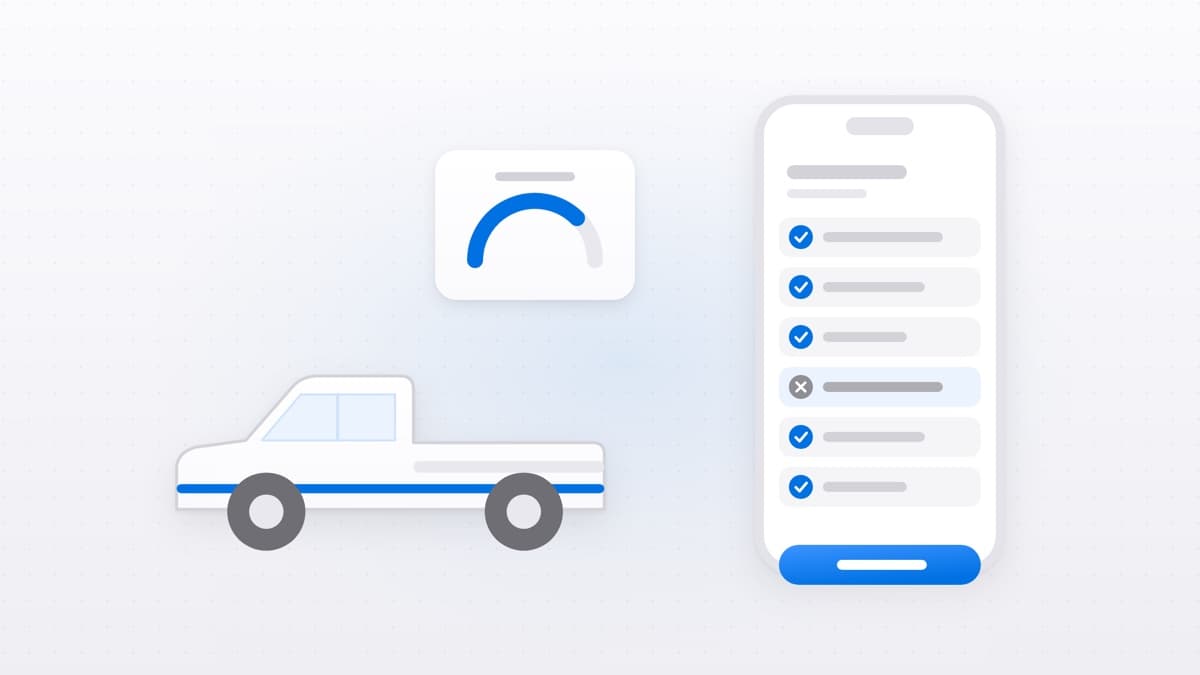
The pre-start runs on the phone and has 19 items across tyres, brakes, lights, controls, fluids, seatbelt, safety gear, body and windscreen. Nine of them are critical.
- Any failed critical item marks the vehicle Do Not Operate.
- Any other failed item marks it Defects Noted.
- Every defect needs a note, and a photo can be added.
- The odometer reading is captured with each check.
- The worker signs off with their name locked and their signature saved on the record.
- Submissions can't be edited afterwards.
The field app works without phone signal and syncs later, so a ute parked somewhere with no coverage still gets its check done on the spot.
Who gets told, and how fast
A defect is only useful if someone hears about it. When a check fails, admins get an in-app notice and a push notification straight away, reading either "Do Not Operate" or "Defect Noted".
Servicing runs off the same odometer readings. When a pre-start reading reaches the next service kilometres, admins are told. Scheduled inspections work the same way: every morning at 9am a reminder goes out for inspections due the next day, and overdue ones are flagged.
On 20 November 2026 a fleet readiness gauge went onto the admin dashboard, and the reminders were switched on the next day.
What you can do this week
You don't need new software to fix most of this. You need four decisions.
- Keep one register with every vehicle and its service interval.
- Use the same checklist every day, for every vehicle, so a skipped item stands out.
- Decide who gets told about a defect and how fast, and write their name down.
- Keep records you can find by vehicle and by date, without asking anyone.
If a clipboard is still doing this job in your business, see what I build for construction and trades or book a call.
Recent articles
Plain writing on operations, compliance and the systems businesses actually run on.
Dec 1, 2026
Operations
Care Minutes Reporting Without the Spreadsheet
How one aged-care group swapped a quarterly reporting spreadsheet for a dashboard that is up to date every morning.
Oct 7, 2026
Engineering
Why I Build CLIs for Coding Agents, Not MCP Servers
Every MCP server loads its tool list into an agent's context before you type. Why that costs accuracy and speed, and why I build CLIs instead.
Tell me what your business runs on today
A 30 minute call. You describe the spreadsheets, the apps and the paperwork; I tell you what I would build and roughly what it would cost.