Jun 16, 2026
Operations
One Customer List for Wine Club, Cellar Door and Online
Read time: 4 min read
Key Takeaways
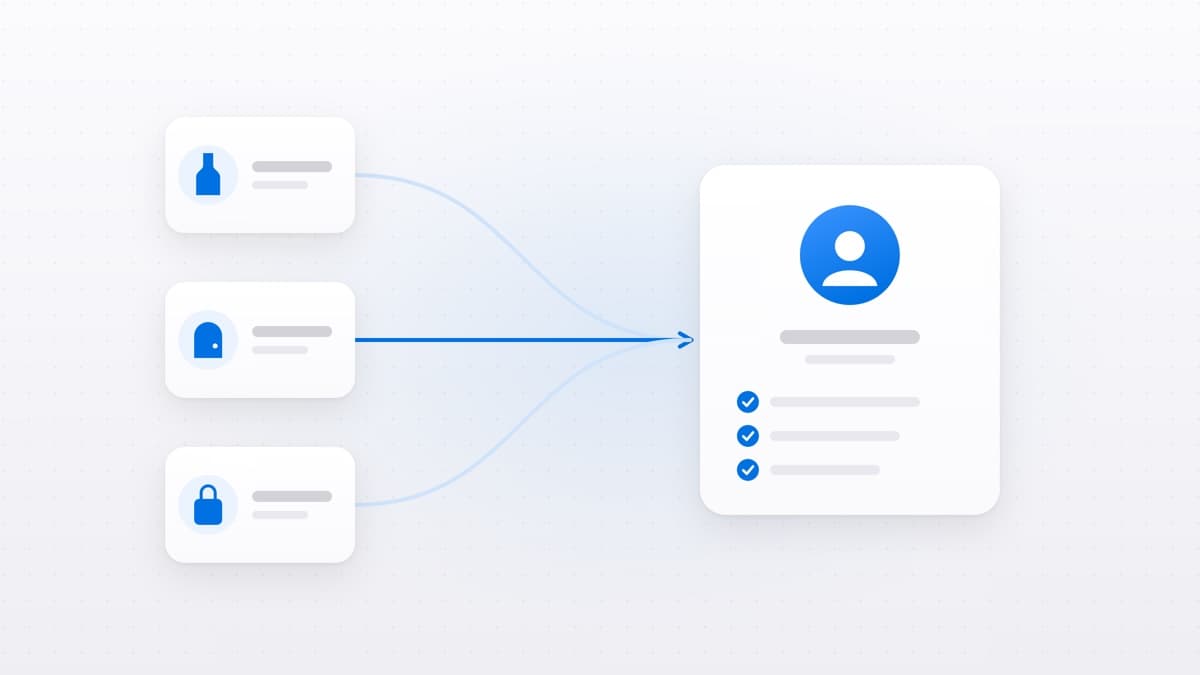
When club members, one-off buyers and restaurant guests live in different systems, the same person ends up with several records and marketing lists get moved around by hand. For a winery in WA I've built the wine side around one contact record per person. The cellar door till and the stock link are next.
Same person, several records
This year I've been building a customer system for a winery and hospitality business in WA. When I started, the club software treated club members and one-off buyers as two different kinds of customer. Restaurant bookings, the restaurant till and stock each had their own system as well.
The result will be familiar to anyone who runs a cellar door. The same person turned up as more than one record. Marketing lists were exported from one system and re-uploaded into another, and VIPs were tagged by hand. Every one of those steps is a chance to email the wrong people or miss the right ones.
Decide who owns each record first
Before building anything, I worked out which system owns each kind of record: customer, product and stock. The owner is the system whose record wins when two disagree. Settling that early saves a lot of arguments later.
Three rules came out of it. Decide which system owns each record before you build anything. Keep the systems that do their job well and connect them, rather than replacing everything. One person, one record, whatever they bought and wherever they bought it.
The second rule matters here. The winery already keeps an inventory system for stock and excise. It does that job, so the plan is to connect to it, not replace it.
What's in place now
As of early June 2026, the wine side's admin is in place:
- One contact record per person, whether they're a club member or bought a single bottle.
- Club tiers the winery sets up itself. A free tier always exists, and paid tiers are billed as subscriptions through Stripe.
- A member price on each product.
- One product list covering wine, tastings and merch, with each product flagged for sale online, at the cellar door, or both.
- One order list, with every order tagged online or cellar door.
- Members, orders, products and an enquiries inbox in one admin.
What's planned next
Two pieces are planned and not built yet as of mid-June.
The first is the cellar door till on an iPad, reading the same product list. The second is a link to the inventory system the winery keeps for stock and excise, so stock is counted in one place.
I'm doing it in this order on purpose. The till and the stock link both depend on the product list, so the product list and the customer record had to be right first.
How to start on your own lists
You can size this problem in an afternoon without any new software.
Pick one customer you know well and look them up in every system you run: club, online store, bookings, till. Count the records. That number tells you how big the problem is.
Then write a one-page table. For customers, products and stock, name the system that owns the record. Everything else should read from the owner or send changes to it, never keep its own copy that drifts.
Last, before you replace anything, ask which systems already do their job well. Keep those. The gap is usually the connections between systems, not the systems themselves.
If you run a winery or venue with the same problem, see what I build for hospitality or book a call.
Recent articles
Plain writing on operations, compliance and the systems businesses actually run on.
Dec 1, 2026
Operations
Care Minutes Reporting Without the Spreadsheet
How one aged-care group swapped a quarterly reporting spreadsheet for a dashboard that is up to date every morning.
Nov 24, 2026
Compliance
Keeping a Trade Fleet Road-Ready Without a Clipboard
Paper pre-starts get filled in late and defects go nowhere. How I set up phone checks, defect alerts and odometer servicing for a WA plumbing business.
Tell me what your business runs on today
A 30 minute call. You describe the spreadsheets, the apps and the paperwork; I tell you what I would build and roughly what it would cost.